
Introduction
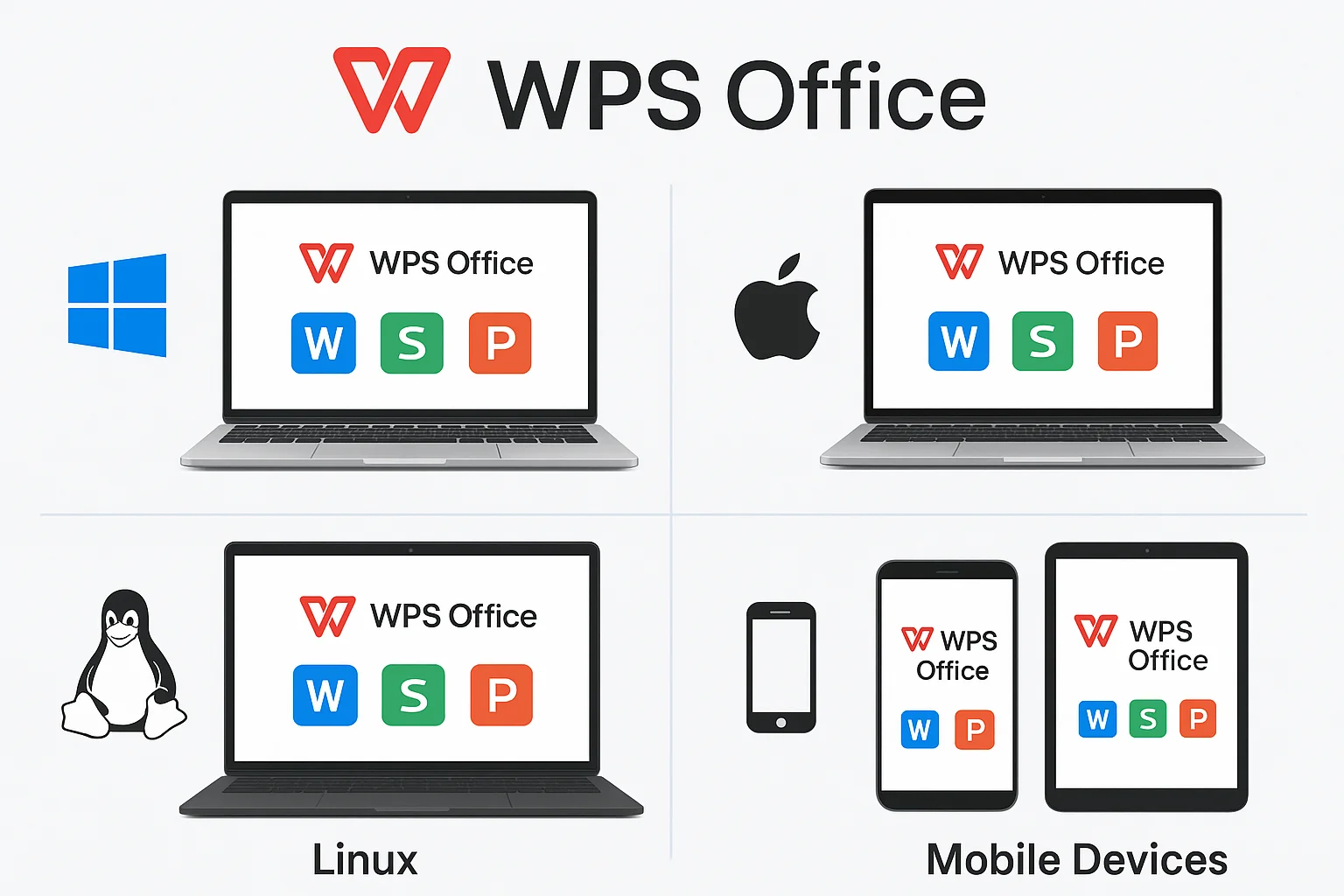
In today’s modern work environment, cross-platform, lightweight, and feature-rich office software has become essential. WPS Office is a comprehensive suite for word processing, spreadsheets, presentations, and PDF editing, available on Windows, macOS, Linux, Android, and iOS. Students, freelancers, and temporary project teams can maintain a consistent experience across all devices.
When downloading and installing WPS Office, users may face issues such as version selection, operating system compatibility, and activation methods. This guide provides step-by-step instructions for installing WPS Office on different platforms, activating it, and leveraging short-term membership codes for flexible use.
Why Choose WPS Office
WPS Office offers Free and Pro versions to meet different needs:
- Free Version: Includes Writer, Spreadsheets, Presentations, and basic PDF tools, with Microsoft Office file format support, but contains ads.
- Pro Version: Unlocks advanced PDF editing, OCR, template library, cloud storage, and WPS AI tools (such as smart writing, data analysis, and summarization), ideal for professional users or temporary high-intensity tasks.
Cross-platform consistency is one of WPS Office’s key advantages: whether on Windows, Mac, or mobile, the user experience remains largely uniform. With AI assistants and short-term activation codes, users can access premium features without committing to long-term subscriptions.
Comparison with other office software:
| Feature | WPS Office Free | WPS Office Pro | Microsoft 365 | LibreOffice |
|---|---|---|---|---|
| Cross-Platform Support | ✅ | ✅ | ✅ | ✅ |
| AI Assistant | ❌ | ✅ | ✅ | ❌ |
| Template Library | Medium | Extensive | Extensive | Medium |
| Cloud Storage | 1GB | 20GB | 1TB | ❌ |
Installing WPS Office on Windows
Visit the Official Website: Go to the WPS Office official download page.
Download Installer: Choose the 32-bit or 64-bit version.
Installation Steps:
- Double-click the
.exefile to start the installer. - Select installation path and shortcut preferences.
- Complete the installation process.
- Double-click the
Activation:
- Free version: Register a WPS account to access basic features.
- Pro version: Enter official short-term activation codes (available for 3, 7, 15, or 30 days).
Common Issues:
- Firewall or antivirus may block installation.
- Download failure due to network issues.
- Version mismatch may limit functionality.
Installing WPS Office on Mac
Download Mac Version: Access the WPS Office Mac page.
Installation Steps:
- Download the
.dmgfile. - Drag it into the
Applicationsfolder.
- Download the
Notes:
- macOS restricts apps from unidentified developers; manual approval may be needed.
- Optimized for both Intel and Apple Silicon (M1/M2/M3) CPUs.
Activation:
- Free version: Register a WPS account.
- Pro version: Enter short-term activation code.
Common Issues:
- OS version compatibility.
- File access permissions.
Installing WPS Office on Linux
- Supported Distros: Ubuntu, Debian, Fedora, CentOS, Deepin, etc.
- Download Options: Choose DEB, RPM, Snap, or Flatpak formats based on your distro.
- Installation Example (Ubuntu/Debian):
sudo dpkg -i wps-office.deb
sudo apt-get install -f
Activation:
- Free version is immediately available.
- Pro version can be unlocked with short-term activation codes.
Common Issues:
- Missing dependencies may prevent installation.
- Advanced PDF editing requires Pro subscription.
- Some distros require Microsoft fonts for proper file rendering.
Installing WPS Office on Mobile Devices (Android / iOS)
Android
Download: Google Play Store – WPS Office or official APK.
Installation and First Launch.
Activation:
- Free version: Log in with WPS account.
- Pro version: Enter official short-term activation code.
Common Issues:
- Insufficient storage.
- OS version incompatibility.
- Login failure due to network or account issues.
iOS
Download: App Store – WPS Office.
Installation and Launch.
Activation:
- Free version: Use basic features with a WPS account.
- Pro version: Input short-term activation code.
Common Issues:
- Limited device storage.
- Offline editing requires proper cloud sync configuration.
Activating WPS Office Pro Short-Term Membership
Short-term membership codes provide flexible access:
Types: 3, 7, 15, or 30 days.
Use Cases:
- Temporary project documentation.
- Student assignments or exam prep.
- One-time document conversions or editing tasks.
Activation Process:
- Log in to WPS account.
- Enter the short-term code in the activation interface.
- Pro features are unlocked immediately.
Advantages:
- One-time purchase, no long-term subscription.
- Official support, avoiding piracy risks.
Official activation guide: WPS Office Pro Premium.
Frequently Asked Questions
- Download/Installation Failure: Check OS version, network, and permissions.
- Activation Code Issues: Ensure code is valid, correctly entered, and matches your OS.
- File Compatibility Problems: Use WPS cloud or file conversion tools.
- Account Login Issues: Reset password or clear cache.
Summary and Recommendations
| Platform | Installation Ease | Notes / Limitations |
|---|---|---|
| Windows | High | Firewall blocks, 32/64-bit selection |
| Mac | High | OS permissions, Intel/Apple Silicon support |
| Linux | Medium | Missing dependencies, Pro features for PDF |
| Android | High | Storage, OS version, login issues |
| iOS | High | Offline editing requires cloud sync, storage |
Short-term activation codes offer flexible solutions, allowing users to choose the right version and platform to boost productivity. With cross-platform support, AI assistants, and cloud integration, WPS Office is an ideal choice for students, freelancers, and temporary project teams.
For more on short-term SaaS models, see Shortkey’s short-term software service explained. For a guide to activating WPS Office Free legally, see WPS Office Free Activation Guide 2025.
References:
- WPS Office Official Download
- WPS Office Chinese Official Site
- WPS Office Overview (Wikipedia)
- Reddit: WPS Office Installation Issues
- Reddit: Mobile Pop-Ups Issues
This guide provides authoritative, step-by-step instructions and practical advice for downloading, installing, and activating WPS Office across all major platforms, including short-term premium access options for flexible, efficient office productivity.