
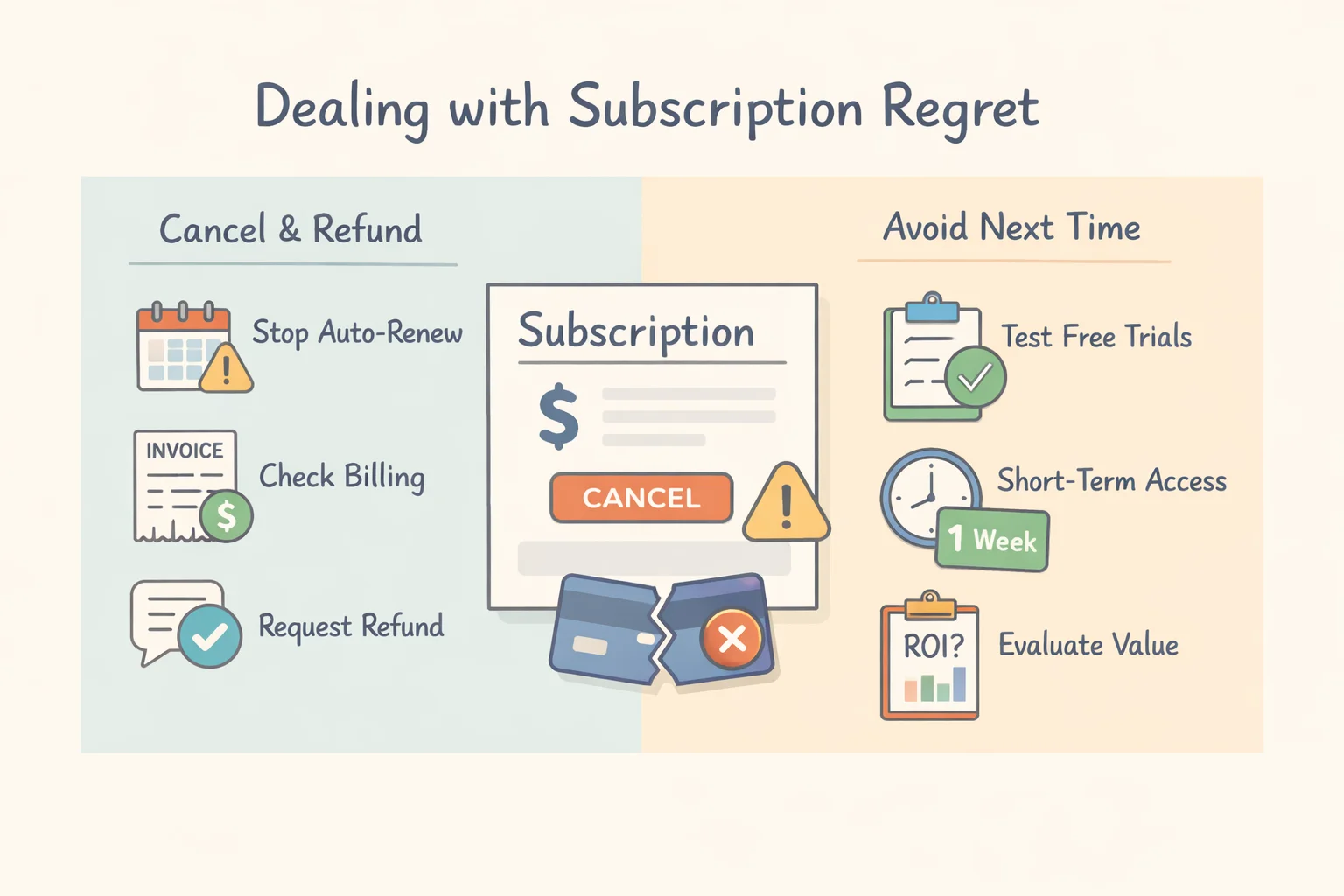
Subscription regret is increasingly common across SaaS, streaming, AI tools, and productivity software: you sign up with good intentions, and then reality hits—low usage, surprise renewals, feature gaps, or a price jump after the promo ends. This guide walks you through practical, evidence-based steps to pull out of a subscription, cancel auto‑renewals, request refunds, and reduce losses, then shows how to avoid making the same mistake next time with smarter evaluation and short-term access options.
When Subscription Regret Hits: Common Scenarios You Might Recognize
- You subscribed to a SaaS tool, but after the first week you barely open it.
- A free trial silently converted into a paid plan, and the renewal hit before you remembered to cancel.
- The “Pro” tier looked essential, but you mainly use basic features.
- You discover your workplace suite already includes overlapping tools (cloud storage, notes, meeting transcription).
- A promotional discount ended and the new price doesn’t match your perceived value.
- Cancellation is hard to find, or the refund policy is vague.
- You find out later there was a student or regional plan you actually qualify for.
- Your needs changed: a project ended, a semester finished, or your workflow moved to a different tool.
Industry research regularly highlights how consumers “stack” multiple subscriptions and then churn as budgets tighten. Reports like Deloitte Digital Media Trends (U.S.) and broader subscription research such as McKinsey’s work on subscription e‑commerce models help explain why regret often isn’t about one “bad” product—it’s about subscription overload and mismatched expectations.
How to Deal with Subscription Regret Right Now
Below is a practical checklist you can follow today. The goal is to stop future charges first, then pursue refunds or cost reductions with documentation.
1) Confirm your billing details and timelines
Checklist
- Identify where the subscription is billed:
- Directly from the vendor’s website
- Through Apple App Store subscriptions
- Through Google Play subscriptions
- Via PayPal or a credit card merchant agreement
- Locate:
- Last charge date
- Next renewal date
- Plan type (monthly/annual)
- Trial conversion date (if applicable)
- Collect evidence:
- Invoices/receipts
- Screenshots of plan terms shown at purchase
- Minimal-usage proof (if relevant)
- Any cancellation attempt timestamps
If your purchase was on iPhone/iPad/Mac, start by understanding Apple’s subscription management and billing record flow via Apple Support: View, change, or cancel subscriptions. For Android purchases, Google’s equivalent subscription control lives under Play billing settings as described in Google Play Help: Cancel, pause, or change a subscription.
2) Cancel subscription and stop auto‑renewal
Do this immediately even if you plan to request a refund. Canceling prevents future charges and strengthens your support request (“I’ve already stopped renewal.”).
Key reminders:
- Deleting the app does not cancel your subscription.
- After canceling, look for a confirmation screen and an email receipt.
Platform notes
- Apple App Store: Use Apple’s own subscription flow (Settings → Apple ID → Subscriptions). Apple documents the steps in Apple Support: View, change, or cancel subscriptions.
- Google Play: Cancel through the Play Store subscription manager (Payments & subscriptions). See Google Play Help: Cancel, pause, or change a subscription.
- Web subscriptions (direct billing): Look for “Billing,” “Plan,” “Manage subscription,” or “Auto‑renew” inside your account settings. If a vendor tries to make cancellation unreasonably difficult, policy discussions such as the OECD consumer policy brief on dark commercial patterns explain why “cancellation friction” is a recognized consumer harm pattern.
3) Request a refund (polite, factual, time‑bound)
Refund outcomes depend on:
- Where you bought (vendor vs. app store)
- Your local law and policy
- Timing (how quickly you contact support)
- Usage level and account history
Refund request script (editable)
Hello Support Team, I was charged on [date] for [plan name]. I intended to cancel and have had minimal/no usage since [date]. I’ve now canceled auto‑renewal (confirmation/order reference: [ref]). Could you please issue a refund or account credit? Thank you.
Add facts that support your request
- “Trial auto-converted and I missed the end date”
- “Price increased unexpectedly after promo”
- “Key feature/integration I need is not available”
- “I subscribed on the wrong platform/account”
Where to request
- Apple purchases: Apple’s official refund route is documented in Apple Support: Request a refund for apps or content. (Apple typically routes requests through its own portal and decision system.)
- Google Play purchases: Use Google’s official refund process in Google Play Help: Request a refund.
- Direct vendor billing: Contact the vendor’s support first; include invoices and cancellation confirmation.
4) Downgrade, pause, or swap plans
If you still need partial access (or might need it soon), your best “loss-minimizing” move is often not a full cancel—it’s a plan adjustment.
Options to look for:
- Switch annual → monthly (reduces lock-in risk)
- Downgrade tiers (e.g., Pro → Basic)
- Pause subscription (some services allow it)
- Apply student/region pricing if eligible
This is particularly useful for SaaS and AI tools where you need the product only during heavy work cycles (exam season, quarterly reporting, client projects).
5) Transfer or resell access (if permitted)
Sometimes you can recover value legally—but only within the platform’s rules.
- Check the Terms of Service before attempting any transfer/resale.
- Legitimate approaches:
- Reassigning team seats within an organization
- Family sharing mechanisms if officially supported
- Corporate license reassignment through admin panels
If transfer is not explicitly supported, forcing a workaround can violate terms and risk account termination.
6) Mitigate the charge if refund fails
If the refund answer is “no,” you may still reduce the impact:
- Request account credit or an extended service period (often easier for support to approve than cash refunds)
- Downgrade immediately to reduce future charges
- Set a calendar reminder well ahead of renewal (7–14 days is safer than 1 day)
- If you’re evaluating multiple subscription services, run a quarterly “subscription audit” to cancel anything unused for 30–60 days
7) As a last resort: Dispute with payment provider
Charge disputes can be effective, but they’re a blunt tool:
- Your account might be closed
- You may lose access immediately
- Vendors may block future purchases
If you truly can’t resolve it with the merchant/app store and you’re within dispute timelines, follow formal guidance like the CFPB explanation of how to dispute a credit card charge. For broader U.S. consumer context on refunds, USA.gov’s returns and refunds guidance is a helpful starting point.
Try Before You Subscribe: Proven Ways to Avoid Subscription Regret
Avoiding subscription regret is mostly about testing reality, not reading feature lists. Use these tactics to make “try before subscribe” actually work.
Use free trials effectively
Free trials are only valuable if you treat them like a structured evaluation.
A simple trial plan
- Start the trial when you can genuinely test (not during travel, deadlines, or holidays).
- Add a calendar reminder 48–72 hours before trial ends.
- Validate three weekly workflows you care about (for example):
- Import/export file formats you use
- One key integration (Google Drive, Slack, Notion, etc.)
- Multi-device usage (desktop + mobile/tablet)
- If 2 of 3 workflows fail, don’t convert to paid.
Short‑term activation codes for subscription‑style software
Short-term access can reduce risk when:
- You only need a tool for a time-boxed project
- You’re not sure you’ll use it every month
- You want real-world testing without annual lock-in
Short-term activation codes are commonly described as limited-duration official access (e.g., 3/7/15/30 days). A practical explainer is available in ShortKey’s guide to short‑term activation codes, which outlines how shorter commitments can reduce regret compared with longer subscription cycles.
If you’re evaluating popular productivity and AI tools, always verify you’re using the official product pages and authentic plan information—examples include WPS Office, WPS AI, Trae, and ProcessOn. This keeps your comparison grounded in real features, device support, and pricing terms.
Consider pay‑as‑you‑go or day passes
For occasional needs (design exports, transcription bursts, short AI compute tasks), usage-based pricing can align cost with value better than a standing subscription.
Good fits:
- One-off projects
- Freelance spikes
- Periodic compliance or reporting cycles
The goal is simple: stop paying during months you don’t use the tool.
Run a quick ROI and alternatives check
Before subscribing, take five minutes to sanity-check value.
Mini worksheet
- Monthly cost: $____
- Expected time saved per week: ____ hours
- Value of an hour (your internal estimate): $____
- Are there overlapping tools you already pay for (work suite, device ecosystem, team tools)?
- Switching costs: data migration, learning curve, templates, team retraining
This approach aligns with what subscription research often emphasizes: churn isn’t only about price—it’s about perceived value over time (see context in McKinsey’s subscription research).
Build renewal safeguards
A few small safeguards can prevent most “I forgot to cancel” outcomes:
- Use a dedicated email alias for subscriptions so renewal notices aren’t buried
- Use virtual/limited cards for trials (where available) to control surprise renewals
- Put a recurring calendar block: “Subscription audit” every quarter
- If you’re uncertain, choose monthly first—then upgrade only after sustained use
In the U.S., rules around online “negative option” subscriptions and disclosure are shaped by frameworks like 15 U.S.C. § 8401 (ROSCA), which is frequently cited in discussions about consent and clear billing terms. Regardless of jurisdiction, the practical takeaway is the same: assume auto‑renew is on unless you confirm otherwise.
Comparison: Subscription vs Short‑Term Access vs One‑Time License
| Model | Best for | Typical cost profile | Pros | Cons | Risk of regret | How to mitigate |
|---|---|---|---|---|---|---|
| Monthly subscription | Ongoing but changeable needs (SaaS, AI tools) | Smaller recurring spend | Flexible; easier to cancel | Can “silently” stack across tools | Medium | Start monthly; audit quarterly; cancel fast after low usage |
| Annual subscription | Daily, long-term needs with stable ROI | Lower monthly equivalent but high upfront | Discounted rate; fewer renewals to manage | High lock‑in; painful if needs change | High | Trial first; compare monthly vs annual; set multiple reminders |
| Short‑term activation code (3/7/15/30 days) | Projects, infrequent use, realistic evaluation | Pay per short window | Low commitment; closer to real usage testing | Rebuying repeatedly can add up | Low | Track usage; upgrade only after consistent demand (see ShortKey’s short‑term software access overview) |
| One‑time license | Stable needs, often offline tools | Upfront fee; optional paid upgrades | No recurring fees; predictable cost | Upgrades/support may cost extra; fewer cloud services | Low–Medium | Confirm device compatibility, support lifecycle, and export formats |
Platform‑Specific Pointers
- Apple App Store: Refund requests go through Apple’s process described in Apple Support: Request a refund for apps or content; subscriptions are managed per Apple’s subscription settings guide.
- Google Play: Subscription controls are outlined in Google Play Help: Cancel, pause, or change a subscription; refund routes are documented in Google Play Help: Request a refund.
- PayPal / credit card: Cancel merchant billing agreements where possible; use disputes only after normal support channels fail, following guidance such as the CFPB charge dispute overview.
FAQs on How to Deal with Subscription Regret
Does canceling a subscription immediately refund me?
Usually not. Cancellation typically stops future billing, while access may continue until the end of the current billing cycle. Refunds depend on the vendor or app store’s policy and your timing (see Apple’s process in Apple Support: Request a refund and Google’s in Google Play refund guidance).Can I pull out of a subscription the same day I was charged?
Sometimes. The sooner you act—cancel auto‑renew and submit a clear request with receipts—the higher your chances.Will deleting the app cancel the subscription?
No. You must cancel through your billing source (Apple/Google subscription settings or the vendor’s billing page).What if I can’t reach support?
Document your contact attempts, cancel auto‑renew immediately, and escalate through the app store (if applicable) or your payment provider only if necessary. For credit card disputes, the CFPB dispute guidance outlines the standard process.Are short‑term activation codes legit?
They can be—if they’re official or distributed by authorized channels, match your region/version, and clearly state duration and terms. For a practical explanation of how these reduce commitment risk, see ShortKey’s guide to short‑term activation codes.
Summary: Key Takeaways to Reduce Loss and Avoid Future Regret
- Immediate damage control: confirm billing source and dates, cancel auto‑renew, then request a refund (or credit) with receipts and a clear explanation.
- If refunds fail: downgrade, pause, or switch billing cadence to limit future risk—and keep documentation.
- Avoid subscription regret next time: treat trials as structured tests, consider short-term access for time-boxed needs, run a quick ROI/overlap check, and build renewal safeguards.
- Bottom line: subscription regret is rarely about one bad decision—it’s usually about unclear renewal mechanics and mismatched usage. Testing in real workflows and reducing lock-in is the most reliable fix.