
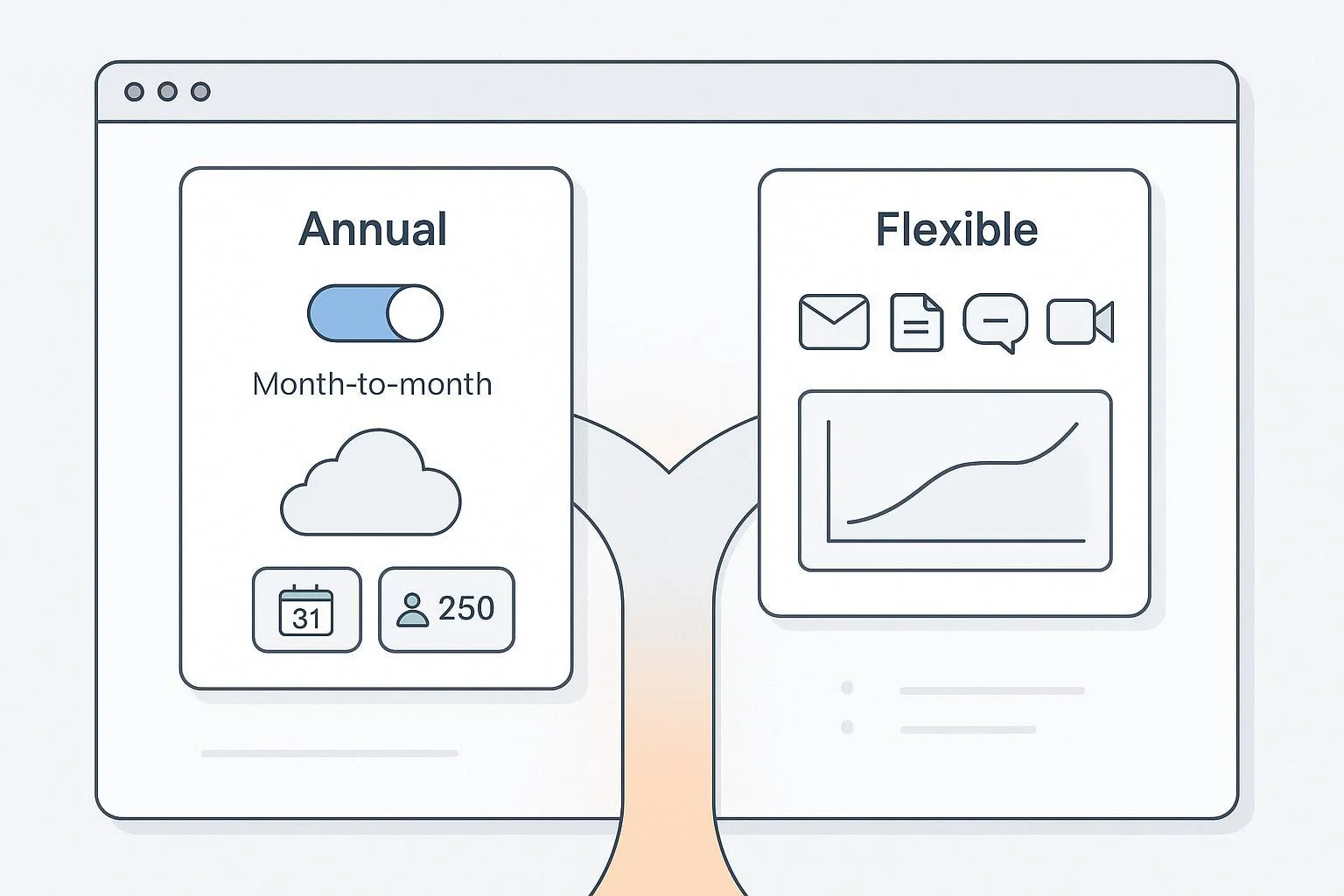
If you’re weighing a move from WPS Office to Google Workspace, you’re probably juggling two truths: Google’s collaboration is excellent—but per‑seat costs add up fast, especially with seasonal or contractor-heavy teams. Before you commit to a full migration (or a year‑long contract), there’s a practical middle path: use Google’s month‑to‑month “Flexible Plan” to spin up short‑term accounts, then delete them when projects end. It’s a simple tactic that can stabilize your budget while you evaluate long‑term options.
Below, I’ll outline when staying with Google and using short‑term accounts makes sense, when it’s time to switch, and six credible alternatives worth piloting in 2025—each with clear scenarios, gotchas, and migration tips.
First, the fast win: Google’s Flexible Plan for short‑term accounts
Google’s Flexible Plan lets you add and remove user accounts any time and pay month‑to‑month—useful for contractors and seasonal spikes. As Google explains in the Admin Help (2025), you’re billed monthly for the number of active user accounts, and you can cancel without a long commitment. See the official mechanics in the concise guide from Google Admin Help, “Flexible Plan” (2025): how monthly billing and add/remove work.
Why this matters in 2025: Google increased Workspace prices for many customers this year. For context on timing and affected tiers, the January 2025 coverage by 9to5Google summarizes Google’s notice and the rollout schedule: 2025 Workspace price changes overview. The Flexible Plan typically carries a higher per‑seat rate than annual commitments, but it prevents you from paying year‑round for idle licenses.
How to make Flexible work (seat‑hygiene checklist):
- Create a clear offboarding workflow. Suspend access immediately, complete data handoff (transfer Drive ownership, archive mail per policy), then delete the user to free the license.
- Calendar a monthly audit for suspended/inactive accounts so you’re not paying for seats you don’t need.
- If you buy via a reseller, confirm their proration rules and cutoff dates—terms can vary.
When this tactic is ideal:
- You love Google’s co‑editing and Meet/Chat, but your headcount fluctuates.
- You’re running pilots or short‑term projects and don’t want a year‑long commitment yet.
When it’s not enough:
- Storage ceilings, compliance needs, data residency, or desktop‑first workflows are the real blockers.
- You need a lower TCO at steady headcount and can commit annually to get better pricing.
When to stay vs. when to switch
If your main pain is “we’re overpaying during seasonal peaks,” try Flexible first. If your issues are deeper—like industry compliance, sovereign hosting, or desktop‑driven work—evaluate alternatives. Here’s the lens I use for clients:
- Cost elasticity (can you add/remove seats any time, and do you have a clean offboarding process?)
- Email and compliance (custom domain, anti‑spam, retention/eDiscovery)
- Collaboration depth (real‑time co‑authoring quality; compatibility with Office formats)
- Migration complexity (from WPS/Office docs and your current email)
- Ecosystem fit (integrations, APIs, desktop/mobile strength, or self‑hosting options)
With that in mind, let’s walk through six strong options in 2025, including exactly who they fit—and who they don’t.
1) Microsoft 365: Desktop strength and enterprise‑grade compliance
If your teams live in desktop apps, Microsoft 365 is the top like‑for‑like alternative. Exchange handles email with your custom domain, Teams covers chat/meetings, and you get OneDrive/SharePoint plus the Office desktop suite on Business Standard and Premium.
- Pricing and plans (as of 2025): Microsoft’s business plan lineup and current rates are listed on the official page: Microsoft 365 Business plans and pricing. Monthly term options are available (often at a premium), and Microsoft notes billing term nuances in its 2025 partner announcement about monthly premiums under certain contracts: Partner Center announcement (March 2025).
- Where it shines: Desktop‑first workflows, strong compliance/archival, granular admin controls, and tight Windows/Intune integration (on Business Premium).
- Trade‑offs: Monthly flexibility can cost more; Teams/SharePoint governance needs care to avoid sprawl; co‑authoring is solid but Google’s live editing still feels lighter for simple docs.
- Migration notes: Convert WPS files to .docx/.xlsx/.pptx and test complex layouts. For email, consider a staged IMAP migration or an Exchange cutover if you’re already on a compatible server.
Best for: Organizations that need robust desktop apps, compliance tooling, and can handle a more complex admin surface.
2) Zoho Workplace: Maximum value for tight budgets
Zoho Workplace bundles business email (Zoho Mail), docs/sheets/slides, chat (Cliq), and meetings at very aggressive price points—great for cost‑conscious SMBs.
- Pricing (as of 2025): Zoho lists current USD/user/month rates on its official page: Zoho Workplace pricing. Storage is pooled via WorkDrive with tiered allowances; see Zoho’s comparison for how team storage scales by user count: WorkDrive plan comparison.
- Where it shines: Low TCO, cohesive suite, straightforward admin. If you already use Zoho CRM/Books/Projects, the ecosystem advantage compounds.
- Trade‑offs: Third‑party integrations and UI polish can lag the biggest suites; power users may hit edges in Sheets or advanced permissions.
- Migration notes: Convert WPS files to Office formats first; Zoho offers importers and IMAP email migration utilities. Pilot with a small group and refine sharing conventions.
Best for: Teams that want Google‑style web collaboration at a lower price and don’t rely on heavy desktop features.
3) ONLYOFFICE Workspace (self‑hosted or hybrid): Control with strong Office‑format editors
ONLYOFFICE is known for high‑fidelity editors (Docs/Sheets/Slides) and offers a broader Workspace with Documents, Projects, CRM, Calendar, and a Mail app. It’s popular for organizations that want control and on‑prem or private cloud options.
- What to know about email: ONLYOFFICE’s Mail app manages corporate mailboxes by integrating with a mail server; it isn’t a Gmail‑style hosted email service by default. Plan to run or pair with an SMTP/IMAP provider. See their feature overview: ONLYOFFICE Mail (Workspace component).
- Pricing reality: The editors (ONLYOFFICE Docs Enterprise) have public server‑based pricing, while full Workspace Enterprise is typically quote‑based. Start here for official context: Docs Enterprise pricing and the Workspace Enterprise overview.
- Where it shines: Excellent document fidelity and co‑editing; control over hosting and data; flexible modular setup.
- Trade‑offs: Email requires more admin planning; full self‑hosting increases operational overhead; user training needed if moving from cloud‑first suites.
- Migration notes: Expect a project—deploy the stack, connect identity, configure your mail server/provider, and run pilots before broad rollout.
Best for: Privacy‑ or control‑oriented teams with IT resources who want strong editors and customizable hosting.
4) Nextcloud + Collabora/ONLYOFFICE: Privacy‑first, self‑hosted collaboration
This build‑your‑own suite pairs Nextcloud (files/sharing, chat, video, apps) with Collabora Online or ONLYOFFICE for document editing. For email, you’ll use an external mail server or a hosted provider and connect a client.
- Email architecture distinction: Nextcloud supports mail clients (e.g., Roundcube) but you still need a mail server behind it. Nextcloud’s page on this integration makes the distinction clear: Roundcube with Nextcloud (official).
- Where it shines: Data sovereignty, on‑prem/private cloud, extensive app ecosystem, and strong governance options with Enterprise support available.
- Trade‑offs: Higher deployment and maintenance effort; you assemble components; real‑time editing quality depends on your chosen editor and infrastructure.
- Migration notes: Treat it like an infrastructure project—plan capacity, backups, and monitoring. Pilot with a department, then iterate.
Best for: Organizations with strict data residency/security requirements and an IT team comfortable running their own stack.
5) Proton for Business: Privacy‑centric email with Drive and Calendar
If end‑to‑end encrypted email is your non‑negotiable, Proton is compelling. You get custom‑domain email, Calendar, and Drive with a strong privacy stance.
- Pricing and tiers (as of 2025): Proton documents business options on its official pricing page, including monthly vs annual discounts: Proton Business Mail pricing. Custom domain details are outlined here: custom email domain for businesses.
- Where it shines: Security and privacy by design; robust anti‑tracking posture; European data protection focus.
- Trade‑offs: Collaboration editing is not equivalent to Google Docs/Sheets; you may pair Proton with separate web editors or desktop apps for real‑time co‑authoring needs.
- Migration notes: Email typically moves via IMAP; plan for user training on encrypted workflows and sharing.
Best for: Security‑first organizations, NGOs, media, or professionals handling sensitive communications who can compromise on deep live editing.
6) IceWarp: All‑in‑one hosted email, docs, chat, and conferencing—at lower unit costs
IceWarp offers custom‑domain email, TeamChat, web‑based office editors, and conferencing in one package, often at attractive per‑user pricing.
- Where to learn more: Start with the official overview to see suite scope and current offers: IceWarp product overview.
- Where it shines: A practical “everything in one” suite with monthly flexibility and competitive pricing; good fit for SMBs wanting to simplify vendor sprawl.
- Trade‑offs: Regional pricing and plan structures vary; check storage and meeting caps. Fewer third‑party integrations than the biggest ecosystems.
- Migration notes: IMAP or vendor‑assisted mail migration; convert WPS docs to Office formats and test collaborative editing performance for large files.
Best for: Budget‑focused teams that want a single hosted provider for email + docs + meetings.
Migration guidance from WPS Office (what to expect)
- File formats first: WPS Writer/Spreadsheets/Presentation map to Microsoft Office formats. Convert to .docx/.xlsx/.pptx before bulk import into any suite to preserve fidelity. Test complex layouts, pivot tables, and macros—some will need re‑work regardless of destination.
- Email migration: If you’re moving to Google, Microsoft, Zoho, IceWarp, or Proton, IMAP‑based migrations are common. For Microsoft/Google, consider staged or cutover migrations depending on mailbox count and downtime tolerance.
- Training and change management: Create quickstart guides for sharing settings, comments/suggestions, and version history. For self‑hosted stacks, add IT runbooks (backups, monitoring, updates) so operations stay smooth.
Scenario‑based recommendations
Seasonal or contractor‑heavy teams, web‑first work:
- Stay on Google and adopt Flexible Plan seat hygiene.
- Or pilot Zoho Workplace to compare TCO and collaboration.
Desktop‑centric workflows, compliance priorities:
- Pilot Microsoft 365 Business Standard/Premium alongside your current stack.
Privacy/data‑sovereignty mandates, in‑house IT capacity:
- Build a proof‑of‑concept with Nextcloud + Collabora/ONLYOFFICE, or evaluate ONLYOFFICE Workspace self‑hosted.
Security‑first email with simpler docs needs:
- Try Proton for Business and pair with separate editors as needed.
All‑in‑one hosted alternative with lower unit cost:
- Pilot IceWarp and validate storage/meeting limits for your use case.
A simple 30‑day action plan
- Audit licenses and costs
- Pull last 3–6 months of user activity and billing.
- Identify idle/suspended accounts; delete where appropriate to free licenses.
- Pilot before you commit
- Pick one alternative aligned to your scenario and run a two‑week pilot with 5–10 users.
- Test document co‑editing, email deliverability, meetings, and mobile experience.
- Model TCO across scenarios
- Compare Flexible month‑to‑month vs annual commitments and alternatives at your realistic seat counts (including seasonal peaks).
- Include admin time (offboarding, backups), compliance add‑ons, and training.
- Plan migration paths
- Prepare file conversion scripts and test a mailbox migration on non‑critical accounts.
- Document your offboarding checklist and set a monthly audit reminder.
Final thought
There’s no one “best” suite—only the best fit for your constraints. If Google’s collaboration already works for your team, short‑term accounts under the Flexible Plan can stop the budget bleed while you run disciplined pilots. If deeper needs like compliance, data sovereignty, or desktop workflows are driving the change, the six alternatives above give you credible paths—each with clear trade‑offs—so you can switch with eyes open.
—
References (for context and verification)
- Google’s billing mechanics for month‑to‑month accounts (2025): Admin Help — Flexible Plan
- 2025 Workspace price‑change timing and overview: 9to5Google — Google fully details 2025 Workspace price increase
- Microsoft 365 business plans and terms: Microsoft — Business plans and pricing and Partner Center announcement (March 2025)
- Zoho Workplace pricing and storage structure: Zoho — Workplace pricing and WorkDrive plan comparison
- ONLYOFFICE product and pricing context: ONLYOFFICE — Mail in Workspace, Docs Enterprise pricing, and Workspace Enterprise overview
- Nextcloud email/client distinction: Nextcloud — Roundcube integration
- Proton business options: Proton — Business Mail pricing and custom domain
- IceWarp suite overview: IceWarp — product overview