
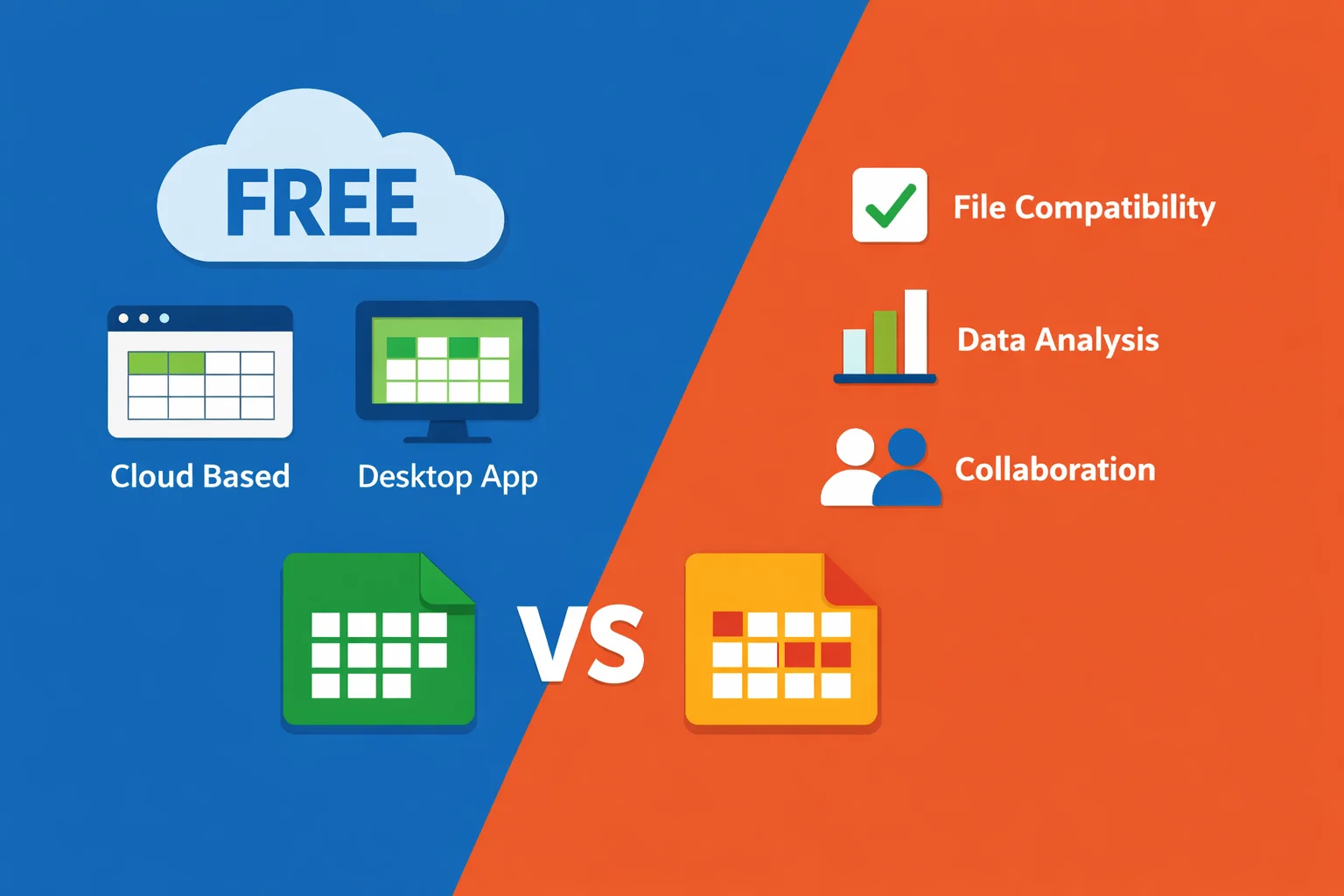
Microsoft Excel is the undisputed heavyweight champion of spreadsheet software, but its premium price tag can be a significant barrier for students, freelancers, small businesses, and anyone on a tight budget. The good news is that the market is rich with powerful, capable, and completely free alternatives that can handle everything from simple budgeting to complex data analysis. Whether you need seamless online collaboration, a robust desktop application, or a tool that perfectly mimics the Excel experience, there's a free option for you.
This guide will walk you through the landscape of free spreadsheet software. We'll define what "free" really means in this context, break down the essential features to look for, and provide an in-depth comparison of the leading contenders. By the end, you'll have a clear framework to choose the perfect free Excel alternative for your specific needs.
What to Look for in a Free Spreadsheet Tool
Before diving into specific software, it's crucial to understand the criteria for evaluation. Not all "free" tools are created equal, and the right choice depends heavily on your primary use case. Here are the key factors to consider:
- The Meaning of "Free": Free software typically falls into one of three models. Freemium tools (like many cloud-based options) offer a robust free tier but lock advanced features, more storage, or an ad-free experience behind a paywall. Open-source software (like LibreOffice) is completely free to use, modify, and distribute, funded by communities and donations. Some ad-supported desktop applications are fully functional but display advertisements within the interface.
- Core Feature Parity: The most important consideration is whether the tool can perform your essential tasks. Check for support for the formulas and functions you use regularly, the ability to create and customize charts and graphs, and features like pivot tables for data summarization. While 100% parity with Excel's most advanced tools is rare, the best alternatives cover 95% of common use cases.
- File Compatibility: You likely need to open existing
.xlsxor.xlsfiles and save your work in formats others can use. High compatibility ensures minimal formatting loss and smooth collaboration with Excel users. - Deployment Model: This is a fundamental choice. Cloud-based tools run in your web browser, offering access from any device, automatic saving, and built-in real-time collaboration. Desktop software is installed directly on your computer, providing superior performance for large files, full functionality without an internet connection, and often greater control over your data.
- Collaboration Features: If you work with a team, features like real-time co-editing, commenting, version history, and easy sharing are non-negotiable. Cloud-based tools typically excel here.
- Data Privacy & Security: Understand where your data lives. With cloud tools, your spreadsheets are stored on the provider's servers. Review their privacy policies and data handling practices. Desktop and self-hosted open-source options generally offer greater data control, keeping your files locally on your machine.
In-Depth Comparison of Leading Free Alternatives
Let's examine the top free spreadsheet applications, detailing their strengths, weaknesses, and ideal users.
Google Sheets: The Cloud Collaboration Powerhouse
Google Sheets is arguably the most popular free Excel alternative. As part of Google's ecosystem, it shines in accessibility and teamwork. Its free tier is incredibly generous, allowing anyone with a Google account to create, edit, and share spreadsheets.
Strengths:
- Best-in-Class Collaboration: Multiple people can edit the same sheet simultaneously, with changes reflected in real time. Commenting and chat features are seamlessly integrated.
- Universal Accessibility: Access your sheets from any computer, tablet, or smartphone with a browser. Work is auto-saved to Google Drive.
- Strong Integration: It connects effortlessly with other Google services like Forms, Data Studio, and Google Finance, and supports a wide array of add-ons from the marketplace.
- Continuous Innovation: Google frequently adds smart features, like AI-powered formula suggestions and "smart chips" that link to people, files, and events.
Limitations:
- Offline Dependency: While an offline mode exists, it requires setup and has limitations. Full functionality needs an internet connection.
- Advanced Analysis: It lacks some of the deep data analysis tools (like Power Pivot) found in desktop Excel or even LibreOffice Calc.
- Storage Cap: The free tier provides 15 GB of shared storage across Drive, Gmail, and Photos. Heavy users may hit this limit.
Best For: Teams, students, remote workers, and anyone whose workflow prioritizes real-time collaboration and cloud access over advanced, offline number crunching.
LibreOffice Calc: The Powerful Open-Source Desktop Suite
LibreOffice Calc is the spreadsheet component of the premier free, open-source office suite. Developed by The Document Foundation, it is a fully-featured desktop application that rivals Excel in raw functionality.
Strengths:
- Deep Feature Set: It supports a massive library of formulas, advanced charting, pivot tables, and macro scripting. For complex data modeling and analysis offline, it is arguably the strongest free option.
- Excellent Compatibility: It opens and saves Microsoft Excel formats (.xlsx, .xls) with very high fidelity.
- Truly Free & Open: As defined by the Open Source Initiative, it is free of cost, free to modify, and free from vendor lock-in. There are no ads, and your data stays on your computer.
- Full Offline Operation: A complete desktop install means no internet is required for any function.
Limitations:
- Learning Curve: The interface, while functional, can feel less modern and intuitive than cloud-based rivals or newer desktop suites.
- No Native Cloud Collaboration: Real-time co-editing is not built-in, though files can be shared via cloud storage services (with the risk of version conflicts).
- Suite-Based: It comes bundled with the entire LibreOffice suite (Writer, Impress, etc.), which is a pro for some but may feel like overkill for others.
Best For: Users who need a powerful, privacy-focused, offline-first spreadsheet tool for complex data work, and those who philosophically support open-source software.
Zoho Sheet: The Feature-Rich Business Contender
Zoho Sheet is a sophisticated cloud-based spreadsheet that often flies under the radar compared to Google Sheets. Part of the extensive Zoho Workplace suite, it offers a compelling package for individuals and small teams.
Strengths:
- Generous Free Plan: Supports up to 25 collaborators per sheet with real-time editing, commenting, and in-sheet chat.
- Strong Business Features: Includes over 350 functions, pivot tables, and data cleaning tools. It emphasizes automation and connectivity within the Zoho ecosystem.
- Privacy Focus: Zoho has a strong stance on data privacy and offers data residency options, which can be a key differentiator for business users.
- Cross-Platform Import: Can connect to and pull data from Google Drive and Microsoft OneDrive.
Limitations:
- Ecosystem Lock-in: While it integrates with other services, its deepest integrations are with other Zoho apps.
- Lower Market Mindshare: It's less universally known than Google Sheets, which can create a slight learning curve and hesitation among collaborators.
Best For: Small businesses, freelancers, and teams already using or open to the Zoho ecosystem who want a robust, business-oriented collaborative spreadsheet.
Other Notable Mentions
- Microsoft Excel Online: Yes, Microsoft itself offers a free, web-based version of Excel. It provides a familiar interface and core functionality, perfect for light editing and viewing. However, as noted by The Verge, advanced features like Power Query, certain add-ins, and offline desktop access require a paid Microsoft 365 subscription. Its free storage is 5 GB via OneDrive.
- WPS Office Spreadsheets: WPS Office Free offers a spreadsheet component with a remarkably modern and familiar Microsoft-like interface and excellent file format compatibility. The free version is fully usable but includes advertisements and may restrict access to some premium templates or advanced tools. It's a great choice for users who want a desktop experience that closely mimics Excel.
- ONLYOFFICE Spreadsheet Editor: ONLYOFFICE is a secure, open-source suite with powerful spreadsheet capabilities. It offers high compatibility with Excel formats and features like real-time collaborative editing (in its cloud/self-hosted version) and change tracking. It's an excellent option for security-conscious users and those who need to integrate with platforms like Nextcloud.
| Tool | Cost Model | Primary Platform | Best For | Key Limitation |
|---|---|---|---|---|
| Google Sheets | Freemium | Cloud | Team collaboration & accessibility | Offline mode is limited; advanced analysis tools |
| LibreOffice Calc | Open-Source | Desktop | Complex, offline data analysis | No built-in real-time collaboration |
| Zoho Sheet | Freemium | Cloud | Business users & small teams | Part of the lesser-known Zoho ecosystem |
| Excel Online | Freemium | Cloud | Occasional Excel users needing familiarity | Lacks advanced desktop Excel features |
| WPS Spreadsheets | Ad-supported | Desktop/Cloud | Users wanting a modern, Excel-like UI | Ads in free version; some premium features locked |
Navigating Free Version Limitations and Temporary Needs
A common realization when using freemium or ad-supported software is encountering a specific limitation just when you need it most. Understanding these constraints helps set realistic expectations.
Typical limitations of free versions include:
- Advertisement Displays: Banners or pop-ups within the application interface.
- Reduced Cloud Storage: Limits on the total space available for your files (e.g., Google's 15GB, OneDrive's 5GB).
- Feature Locks: Advanced tools like sophisticated data analysis toolkits, premium templates, macro recording, or the ability to remove watermarks on printed documents may be disabled.
- User/Collaborator Caps: Limits on the number of people who can simultaneously edit a document.
What if you hit one of these walls for a short-term, specific project? For instance, you might need to run a complex financial model using advanced solver functions or generate a one-time report with intricate pivot tables that your free tool can't handle.
In such scenarios, purchasing a full annual subscription for expensive software is often impractical. One viable solution is seeking temporary access. Similar to renting a specialized tool for a weekend home project, some authorized services provide a legitimate pathway to short-term software licenses. These services, operating through official or verified channels, offer time-limited activation codes (e.g., for 1 day, 1 week) that unlock the full version of an application. This model, as explained in guides on short-term activation codes, addresses the gap between permanent free tools and costly long-term subscriptions, providing a flexible and cost-effective solution for temporary professional needs. When considering such services, it is always critical to review their data handling practices, such as their Privacy Policy, to ensure they meet your security standards.
Making Your Choice: A Decision Framework
With all the information presented, how do you decide? Let's break it down by primary use case:
- For Students and Personal Budgeting: Prioritize ease of use, zero cost, and accessibility across devices. Google Sheets is the top recommendation here. Its simplicity, automatic saving, and ability to access your budget from your phone or library computer are unbeatable. Microsoft Excel Online is a close second if you prefer its layout.
- For Team Collaboration and Remote Work: The choice is almost exclusively cloud-based. Google Sheets leads for its seamless integration and near-universal familiarity. Zoho Sheet is a powerful contender, especially for teams already using Zoho apps or those who prioritize its specific business features and generous collaborator limit.
- For Complex Data Analysis and Offline Work: You need the raw power of a desktop application. LibreOffice Calc is your best free bet, offering the deepest set of analytical tools. WPS Office Spreadsheets is an excellent alternative if you value an interface that closely resembles modern Excel.
- For Users Heavily Reliant on Microsoft Excel Formats: If you constantly exchange complex
.xlsxfiles with Excel users and need near-perfect formatting preservation, LibreOffice Calc and WPS Office Spreadsheets offer the highest compatibility. For online sharing and lighter editing, Microsoft Excel Online itself guarantees format fidelity.
Frequently Asked Questions (FAQ)
Is Google Sheets really free for everything I need?
Yes, for its core spreadsheet functionality. The free personal Google account provides full access to Sheets' editing, formulas, charts, and collaboration features. The primary limitation is the 15 GB shared storage cap for all Google services (Drive, Gmail, Photos). For significantly more storage or business features like custom email domains, you would need a paid Google Workspace plan.
Can I use LibreOffice Calc completely offline?
Absolutely. Once installed, LibreOffice Calc is a 100% offline desktop application. It does not require an internet connection for any of its functions, making it ideal for environments without reliable internet or for users with strong data privacy concerns.
Are my Excel macros and complex formulas guaranteed to work in these alternatives?
Compatibility is very high, especially with basic and intermediate formulas, but not 100% guaranteed. LibreOffice Calc and WPS Office have excellent support for common Excel functions. However, very advanced, proprietary, or newer Microsoft Excel functions may not translate perfectly. Visual Basic for Applications (VBA) macros from Excel will not run in most alternatives, though LibreOffice uses a different macro language (Basic). Always test a sample file with your most complex work before fully committing to a new tool.
What's the main difference between 'open source' and just 'free' software?
"Free" (gratis) software means you don't pay money. "Open-source" software (like LibreOffice) adds critical philosophical and practical layers: its source code is publicly available for inspection, modification, and redistribution. This leads to community-driven development, transparency (you can see what the software does), independence from a single vendor, and strong assurances against the software being discontinued or turned into a paid product. Proprietary freeware (like the free tier of Google Sheets) is owned and controlled by a company that can change its terms or features at any time.
I only need advanced pivot tables for a one-time report. What are my options?
First, check if the basic pivot table feature in your free tool (e.g., Google Sheets, Zoho Sheet) is sufficient. If your project demands more advanced manipulation, filtering, or calculated fields that are locked, you have a few paths. You could use the free trial of a premium software if available. Alternatively, as discussed in the section on limitations, a practical solution for such a discrete, short-term need is to seek temporary, legitimate access to the full version of a capable spreadsheet application through a verified service that provides short-term licenses, ensuring you have the right tool just for the duration of your project.