
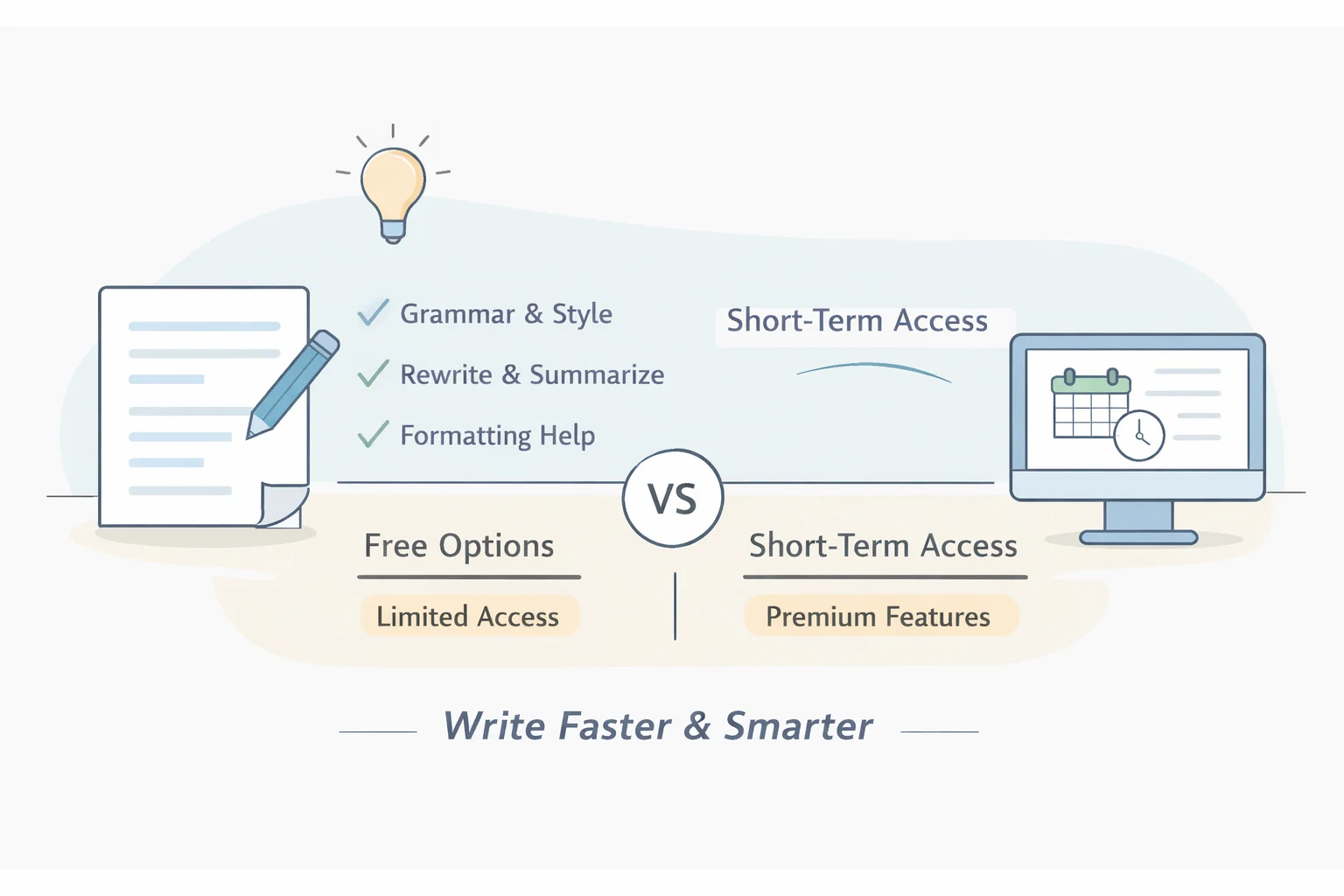
Summary: what you’ll get and who this helps
- A clear definition of what an “AI text editor” is (and what it isn’t), so you can pick tools based on real workflows—not hype.
- The practical benefits AI editors bring to drafting, rewriting, summarizing, and formatting documents—especially for students, non-native writers, and busy teams.
- A curated set of genuinely useful free (or free-first) options, including WPS AI, with a side-by-side comparison table.
- A simple, low-commitment strategy to test premium AI features for a short period (without committing to a recurring subscription), including a step-by-step example for WPS AI.
- Who this guide is for: students, occasional users, teams evaluating SaaS tools, and anyone who wants “good enough” AI writing help without paying month after month.
What is an AI text editor?
An AI text editor is a writing environment that combines traditional editing (typing, formatting, styles) with AI-powered assistance. In practice, it usually includes:
- Grammar and style correction (spelling, punctuation, clarity). Tools like Grammarly and LanguageTool are well-known here.
- Rewrite and tone adjustment (e.g., “make this more concise,” “sound more professional”).
- Summarization (turn a long doc into an executive summary or bullet list).
- Content generation (draft a section, propose headings, expand bullet points). Some suites include this natively, such as WPS AI and Zoho Writer’s Zia.
- Structure and formatting help (outlines, headings, lists, consistency cleanup inside documents).
- Multilingual support (editing across languages, translation-like rewriting depending on the tool).
- References and citations support (varies widely; always verify outputs).
Typical delivery models include:
- Browser extensions (often best for email, web writing, and forms).
- Web apps (fast to start, easy to share).
- Desktop apps (better document formatting control; sometimes integrates with files and templates).
- Office suite integrations (AI features directly inside documents, spreadsheets, presentations).
AI text editor vs. AI chatbot vs. traditional editor
- AI chatbot: great for brainstorming, Q&A, and drafting from scratch, but weaker at document formatting and “in-place” edits.
- Traditional editor: excellent for layout, styles, and document control—but no AI rewriting/summarization.
- AI text editor: aims to combine both—AI assistance within a document context, where formatting and structure matter.
Key benefits of AI text editors
Speed for first drafts and iterations
You can go from a blank page to a usable outline quickly, then iterate faster with rewrites and expansions. Research frequently cited in the industry suggests generative AI can create meaningful productivity lift in knowledge work; see McKinsey’s analysis on the economic potential of generative AI for a structured view of where time savings may occur.Higher baseline quality (grammar, clarity, tone)
For everyday business writing—emails, proposals, status updates—tools like Grammarly’s official feature set highlight tone and clarity suggestions that can reduce awkward phrasing and improve readability.Better structure and formatting
Many users don’t just need “better sentences”; they need a document that looks professional. Suites like WPS AI emphasize AI features integrated across Writer/Spreadsheets/Presentations, which can make formatting-oriented workflows smoother than using a standalone chatbot.Multilingual editing and cross-language polish
If you write in more than one language—or you’re editing English as a second language—tools like LanguageTool are often chosen for broader language coverage.Reusable productivity workflows
AI text editors can be paired with templates, standard sections, and “prompt recipes” (e.g., weekly report summaries, meeting notes cleanup). This is where productivity software feels less like a toy and more like a system.
Limits and risks to note (especially on free tiers)
- Free plan caps are common: daily/monthly quotas, prompt limits, document length caps, or reduced suggestion depth.
- Hallucinations and factual errors: AI can generate plausible but incorrect text; treat it as a drafting assistant, not a source of truth.
- Privacy and data handling vary: always review product policies before pasting sensitive content. Risk management frameworks such as the NIST AI Risk Management Framework (AI RMF) provide useful language for thinking about reliability and governance, even if you’re “just” choosing writing tools.
- Marketing claims can be misleading: the FTC guidance on truthful AI claims is a reminder to look for verifiable capabilities and clear limitations.
How to choose the best free AI text editor for your needs
Use this checklist to avoid choosing based on brand recognition alone:
What’s your primary goal?
- Grammar-first (clean, correct writing)
- Rewrite-first (paraphrase, tone, concision)
- Drafting/long-form generation (reports, essays, blog drafts)
- Structure/formatting (headings, templates, consistent styling)
What are the free plan limits in practice?
Look for constraints like: prompt caps, daily quotas, “advanced suggestions” gating, or word limits (common for paraphrasers). Always confirm on the official product page, e.g., QuillBot for paraphrasing/summarizing constraints.Where do you write? (integration matters)
- Browser-heavy workflows: extensions shine
- Office docs: suite integration can be more efficient
- Collaboration: real-time co-editing might matter more than AI features
Which platforms do you need?
Windows/Mac/Web/Mobile support can be a deciding factor. WPS AI is positioned as cross-platform within the WPS ecosystem, while tools like Google Docs spelling & grammar are web-first.Data controls and privacy
Prefer tools that clearly explain retention, training, and user controls. If you’re evaluating a SaaS tool for a team, treat this as a procurement requirement—not an afterthought.Upgrade path: monthly subscription vs. flexible short-term access
If you only need premium features for a project sprint, consider options that let you time-box costs rather than committing to ongoing billing.Internationalization
If you write beyond US English, validate language and locale coverage on official pages such as LanguageTool.
Quick picks by scenario (free or low-commitment first)
Students (grammar + clarity on a budget)
- Grammarly (free tier for core checks)
- LanguageTool (strong multilingual support)
Business docs and formatting-heavy work (reports, resumes, proposals, slides)
- WPS AI (AI inside an office suite; formatting control is a practical advantage)
- Zoho Writer (Zia) (useful if you already collaborate in Zoho)
Paraphrasing and summarizing quickly
Team collaboration (comments, sharing, co-editing)
- Google Docs spelling and grammar for baseline suggestions
- Zoho Writer (Zia) if your team prefers Zoho’s document workflow
Occasional premium feature testing (no long subscription)
- Use a time-boxed approach: plan a short window to test premium AI features, batch tasks, and export final versions.
Short-term AI text editor testing strategy (practical)
- Batch your highest-impact tasks (long rewrites, executive summaries) into the test window.
- Keep “before/after” copies so you can evaluate quality objectively.
- Track what the tool does well (e.g., headings, tone control) vs. what still needs human editing (facts, citations, nuance).
Comparison of the best free AI text editors
| Tool | Platforms | Core AI features | Free plan limits (typical) | Best for | Notable advantages | Common limitations |
|---|---|---|---|---|---|---|
| WPS AI | Windows, Mac, Web, Mobile | Rewrite, summarize, outline, format assist, templates; integrated across Writer/Spreadsheets/Presentations | Quotas and/or membership gating depending on region and plan | Business documents, reports, slides | Office-suite integration + formatting control; document-centric workflows | Some advanced AI actions may require membership beyond free quota |
| Grammarly | Web, Desktop, Browser extensions, add-ins | Grammar, style, clarity, tone; limited AI rewriting depending on tier | Free supports core correctness; advanced suggestions and some gen-AI features may be limited | Emails, school writing, everyday work docs | Strong grammar accuracy reputation; broad compatibility | Free tier may feel constrained for heavy rewriting/generation |
| LanguageTool | Web, Desktop, Browser, add-ins | Grammar/style; paraphrasing features (varies by plan) | Free checks are limited in length/advanced suggestions | Multilingual editing | Wide language coverage; combines rules + suggestions | Fewer document-formatting tools than office suites |
| Zoho Writer (Zia) | Web | AI-assisted drafting, rewriting, templates, collaboration features | Depends on Zoho plan; AI usage can be gated | Teams using Zoho ecosystem | Collaboration + document workflow in one place | Some AI features may require paid tiers or plan upgrades |
| QuillBot | Web, extensions | Paraphrasing, summarizing, grammar tools | Free mode limits words/modes (varies) | Rewording and quick summaries | Simple, fast paraphrasing workflows | Limited formatting/structure tools for long documents |
| Google Docs | Web, Mobile | Spelling/grammar suggestions; Smart Compose-like help | Basic suggestions are free; advanced “help me write” features may require eligible plans | Collaboration + lightweight editing | Real-time co-editing; familiar UI | Advanced generative features can be plan-restricted; formatting control is good but not “AI-centric” |
Note: feature availability and limits change frequently. Always confirm current details on each vendor’s official pages (linked above) before deciding.
WPS AI: features and advantages for free users
WPS AI is best understood as AI embedded into an office suite, not just a standalone writing assistant. That matters if your workflow includes formatting, templates, and exporting to DOCX/PDF.
Key advantages commonly highlighted in WPS’s own overview include:
Tight integration with document creation
Because WPS AI is built into WPS Office apps, you can revise content without bouncing between tools—useful for resumes, proposals, reports, and structured documents.Document-level help (not just sentence fixes)
Instead of only polishing grammar, AI can assist with outlines, summarization, and rewriting sections in a way that aligns with headings and document structure.Templates and style consistency
For business writing, consistent formatting often matters as much as wording. WPS’s ecosystem is geared toward producing “ready to send” documents.Cross-platform availability
WPS Office is available across common platforms, which can reduce friction if you switch devices. (AI features typically require an internet connection even when offline editing is available for core document work.)
What “free” typically means here
Most AI writing products follow a SaaS model where free access is designed for evaluation and light use. With WPS AI, expect some level of free quota or limited access, while broader or heavier AI usage may require membership (exact thresholds can vary by region and current plan terms—verify within WPS account settings and the official product pages).
Ideal use cases
- Structured business documents (proposals, reports, meeting summaries)
- Resume/cover letter drafting and polishing
- Slide narrative and speaker notes preparation (where available in-suite)
- Summarizing long documents into executive briefs
Short-term membership activation codes: what they are and when to use them
If you don’t want a recurring subscription, short-term membership activation codes are a practical middle ground: they unlock premium features for a defined duration (for example, a few days to a month), then end.
Pros:
- Predictable cost and a clear end date (useful for project-based needs)
- Better evaluation for procurement: you can test real workflows instead of guessing from marketing pages
- Efficient for occasional use: ideal if you only need premium AI features during midterms, quarterly reporting, or a client deliverable sprint
Cons / considerations:
- You must confirm compatibility (correct product, region, account type)
- Timing matters: understand when the clock starts (on purchase vs. redemption)
- Policy review still matters: premium AI features may involve different processing terms; treat privacy as part of selection criteria
If you’re exploring this route via ShortKey, it helps to read the platform explanations of how short-term access works—see ShortKey’s short-term software access overview and the guide to short-term activation codes to understand durations and redemption flow. For privacy-specific questions, review the ShortKey Privacy Policy.
How to use a ShortKey short-term activation code for WPS AI (example flow)
- Choose a short-term code duration that matches your workload (e.g., a short sprint for rewriting and summarization). Use the window to batch high-impact tasks.
- Receive the activation code via the platform’s delivery method (commonly dashboard delivery or email instructions, depending on provider).
- Open WPS Office and sign in to your WPS account, then find the account or membership redemption area.
- Redeem the code and verify the membership status/expiration in your account.
- Open WPS AI features within WPS Writer (or other supported apps) and run a controlled test:
- Rewrite a section in two tones (formal vs. concise)
- Generate an outline from a messy draft
- Summarize a long document into bullets
- Review settings and policies before using sensitive content. If you’re evaluating tools for a team, align your usage with internal rules and vendor policy documentation.
- Before the access period ends, export final documents to stable formats (DOCX/PDF) and store both pre- and post-edit versions for traceability.
Checklist for making the short-term window count:
- Prepare a folder of documents to process
- Define what “good” looks like (tone, reading level, length)
- Track which prompts produce repeatable results
- Verify factual claims and citations manually
FAQ: free AI text editors, WPS AI, and short-term access
Is there a truly unlimited free AI text editor?
Usually not. Most SaaS AI tools impose usage caps to manage compute costs. A realistic approach is to combine free tiers for routine edits with short-term access for heavy workloads.Do AI editors store my content?
Policies vary by vendor and plan. Always read the official policy and settings options before pasting sensitive material. For short-term access platforms, also review platform privacy terms such as the ShortKey Privacy Policy.Can I use AI editors offline?
You can often edit documents offline in traditional modes, but AI features typically require an internet connection because generation runs on remote servers.What languages are supported?
English is widely supported. For multilingual work, verify language coverage on official pages such as LanguageTool. Capabilities can differ between “grammar checking” and “rewriting” in the same product.Are short-term activation codes safe to use?
They can be safe when they’re official, compatible, and redeemed through the proper in-app flow. Avoid gray-market sources, confirm region/account requirements, and keep records of redemption and expiration.
Conclusion: free AI text editors and flexible short-term access
Free AI text editors can materially improve writing speed, clarity, and document structure—especially when you match the tool to your workflow (grammar-first vs. formatting-heavy business docs vs. collaboration). For users who only occasionally need premium AI features, time-boxed access via short-term activation can be a practical alternative to ongoing subscriptions. Start with free tiers, validate privacy and reliability expectations, and use short-term access strategically for the projects where premium capabilities have the highest payoff.